Private networks
Define tunnels that carry a connector's outbound connections into your own network.
A private network is a tunnel definition that other things refer to by name. When a connector, a channel provider or a journey action step uses one, every outbound connection it makes goes through the tunnel instead of the public internet. That makes an on-premises SFTP server, an internal Kafka cluster or an internal web service reachable without exposing it. Optima never tunnels back into its own infrastructure: loopback and link-local addresses stay blocked through every tunnel. Open it under Settings → Integrations → Private networks.
Who uses it
Integration specialists define networks, and IT architects review them. Reading needs the integration_viewer role; creating, testing, editing and deleting need integration_editor, or another role your administrator has given access to this area — see Licences and roles. Part of the Private networks licence feature.
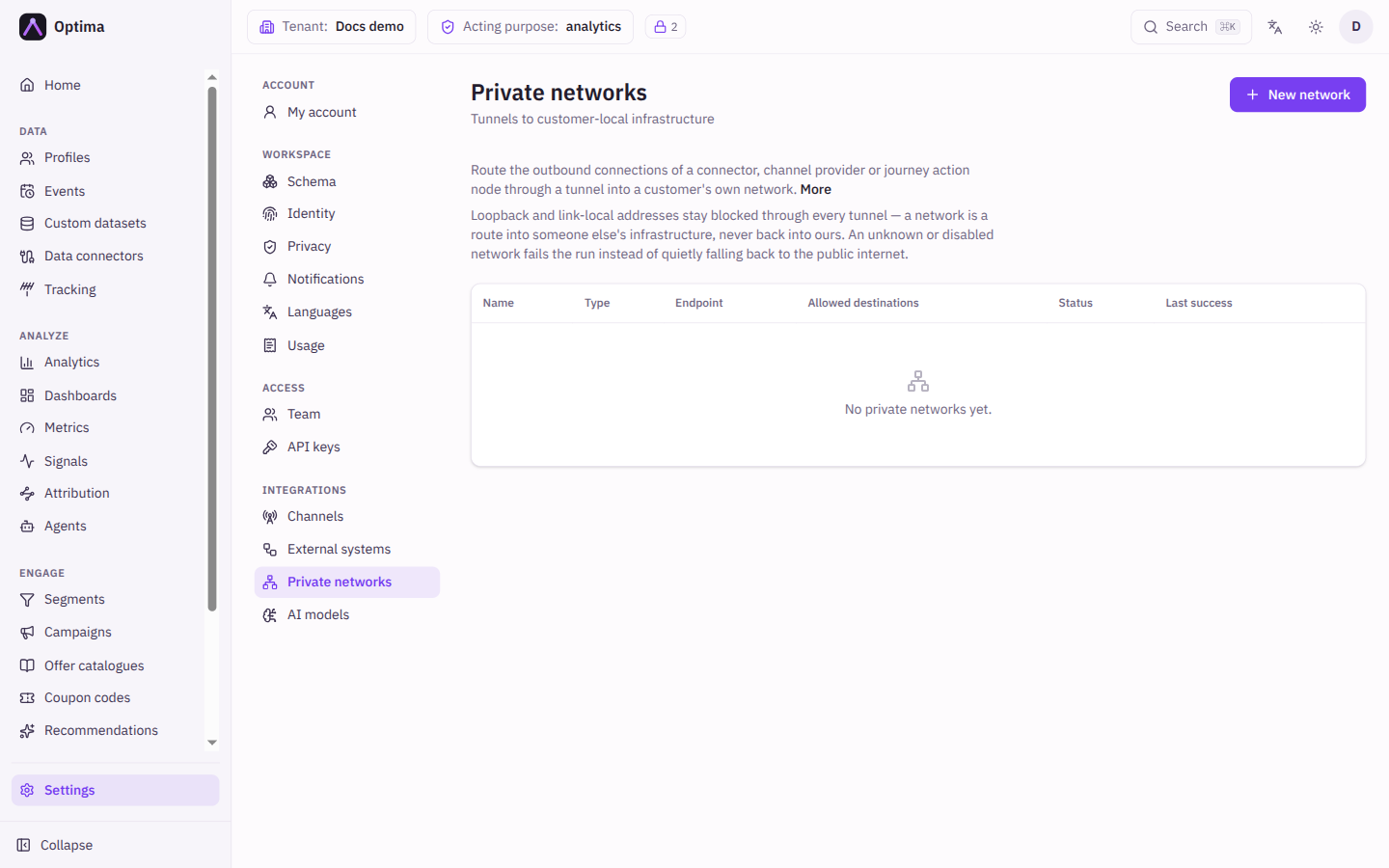
Fields
The list shows Name (select it to edit), Type, Endpoint, Allowed destinations, Status and Last success. Status is Up, Down or Not yet dialed; hover for the reason. A disabled network carries a Disabled badge.
The New network and Edit network dialog:
| Field | Meaning | Valid values | Default |
|---|---|---|---|
| Name | The name other screens show in their picker. Required. | Text | Empty |
| Type | The kind of tunnel. | SSH jump host, SOCKS5 proxy, HTTP CONNECT proxy, WireGuard | SSH jump host |
| Description | Free text. | Text | Empty |
| Type-specific fields | See the next table. | ||
| Allowed destinations | The address ranges (CIDRs) this network may dial. A bare IP counts as a single host. | CIDRs, for example 10.20.0.0/16 | Empty, meaning the tunnel's own reach |
| Enabled | Whether resources may use the network. | On or off | On |
Fields that are secrets are marked write-only and show "A value is stored" once saved; type a new value to replace it.
| Type | Fields (a star marks required) | Notes |
|---|---|---|
| SSH jump host | Host *, Port (22), SSH user *, Host key *, Keepalive (seconds), Probe address, Private key, Password | Optima opens one SSH connection to your host and carries every destination over it, so you open one port. The host key must be pinned. |
| SOCKS5 proxy | Host *, Port *, Probe address, Username, Password | A SOCKS5 appliance you already run. Names are resolved at the proxy, so internal DNS keeps working. |
| HTTP CONNECT proxy | Host *, Port *, Probe address, Username, Password | An HTTP egress proxy, the usual answer to a traffic-inspection requirement. |
| WireGuard | Peer endpoint *, Peer public key *, Local tunnel address *, Private key *, Allowed IPs, DNS server, MTU, Keepalive (seconds), Probe address, Pre-shared key | Reaches whole subnets instead of one hop. Internal names resolve inside the tunnel when you set a DNS server. |
Probe address is a host:port inside your network that Test tries to reach.
Actions
- New network opens the dialog.
- Test dials the tunnel and reports "Tunnel is up (N ms)" or "Tunnel test failed" with the reason.
- Edit (pencil) and Delete (bin). Deleting warns that resources still using the network will fail their runs until they point elsewhere.
To use a network, pick it in the Private network field of a connector (see Data connectors), a channel provider or a journey action step. The default is Default route (public internet). A network that is disabled or deleted makes the resource fail rather than quietly fall back to the public internet.
Examples
Reach an internal SFTP server. Create an SSH jump host corp-bastion with Host bastion.example.com, SSH user optima, the pinned Host key and a Private key. Restrict Allowed destinations to 10.20.0.0/24. Click Test. Then edit the SFTP connector and choose corp-bastion.
Send webhooks through an inspecting proxy. Create an HTTP CONNECT proxy to your egress proxy and choose it on the journey action step.
Common problems
- Status stays "Not yet dialed". Nothing has used the network yet; select Test.
- Test fails. Check the host and port, that the firewall allows Optima, the pinned host key, and that the Probe address is reachable from the tunnel end.
- A run fails and names the network. The network is disabled or deleted. Enable it or point the resource elsewhere.
- Saving shows an error about credentials. Moving a network to a new destination needs its secrets entered again.
- A destination is refused. It is outside Allowed destinations, or is a loopback or link-local address.