Agent runs and run log
Read each run of an agent and the log of what it did and why, with personal data masked above your clearance.
The Runs and Run log tabs of an instance record everything the agent did. Use them to check a dry run before going live, to audit a live agent, or to find out why a run failed.
Who uses it
Auditors, privacy officers and tenant administrators. Both tabs need the agents_auditor role, the general auditor role or an administrator role; agents_editor alone does not read them, and the tabs are hidden. Personal data in the log is masked above your own clearance (see below).
Fields
Runs
One row per run, newest first, with Load more runs.
| Column | Meaning |
|---|---|
| Started | When the run began. Choose it to open the run and its log entries. |
| Trigger | Schedule, Sweep (a continuous pass), Preview, the event type that started it, or Erased when the triggering profile has since been erased. |
| Stage | The trigger's stage label, if it has one. |
| Status | Running, Done (it acted), Nothing to do, Failed, Skipped (the run did not go ahead: the instance was stopped in the meantime, the system stopped or cancelled it, the owner or tenant was no longer active, or the previous scheduled run was still going) or Budget used up. A Dry run badge marks runs made in dry run. |
| Duration | How long it took. |
| Tokens in / out | Tokens sent to and received from the model. |
| Cost | Shown when the model has prices set. |
Open a run to see its Summary above Limits of this run; a run that ended without one says This run has no summary. The limits are the seven the run ran with, copied when the run started. A later change of a default does not alter them. Runs that started before limits were recorded show Not recorded, and so does any single limit that an older run did not record. For a continuous or preview run the Run deadline reads Not used by continuous agents, with no Custom or Default badge.
Run log
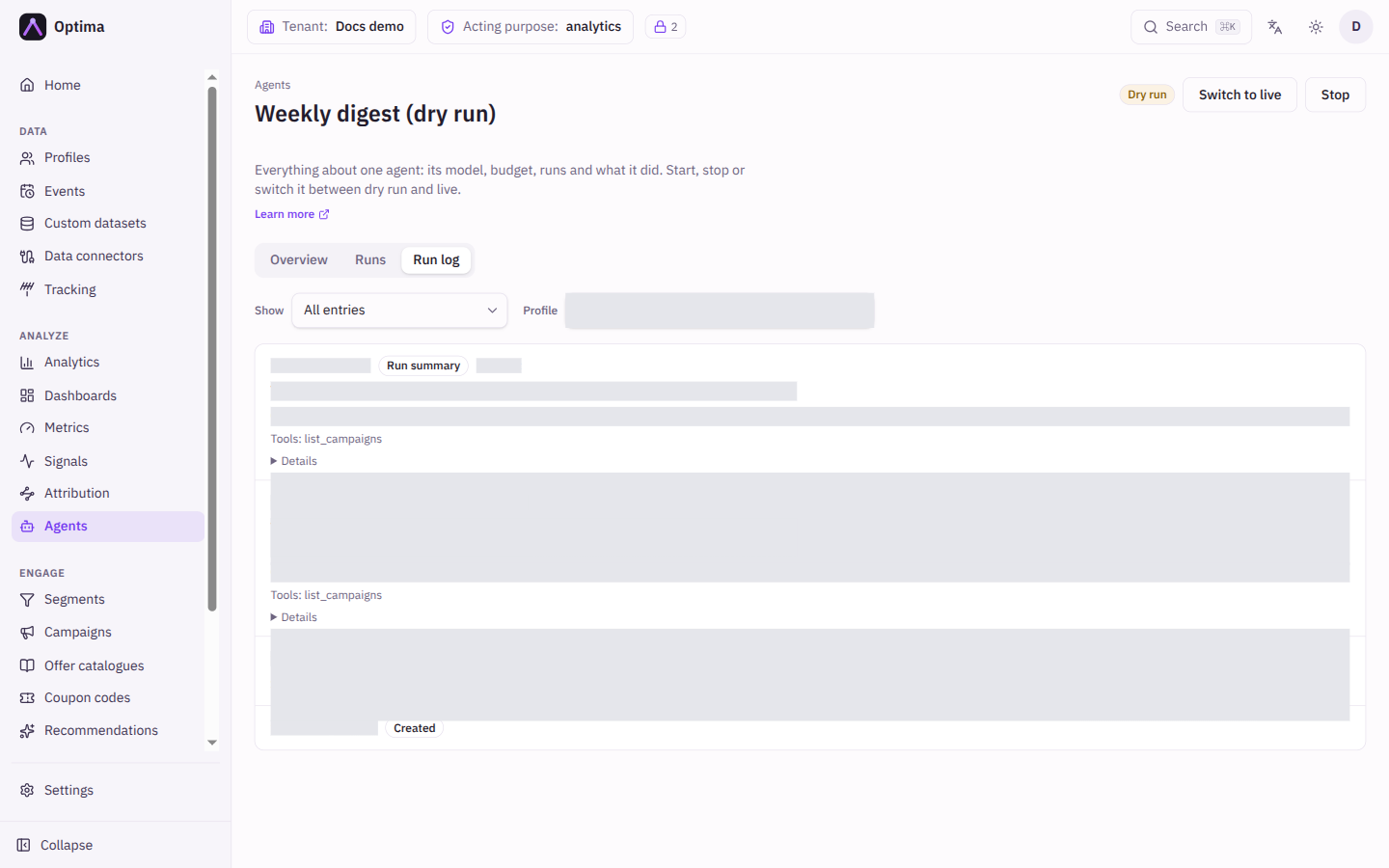
One entry per thing that happened, newest first, with Load more entries. Show filters by kind: Created, Started, Stopped, Mode switched, Cancelled, Stopped by the system, Action, Run summary, Triggers dropped, Cost preview requested and Item failed. A continuous agent writes one Item failed entry for each item that failed, with the reason.
The Profile box narrows the log to entries about one profile: enter its profile id. Entries you are not cleared to see are left out of a profile search rather than shown masked. A search through a long log may stop early with a note; choose Load more entries to keep looking.
An entry shows its time, kind, who did it when that differs from the owner (By …), and for an action:
- Target: the profile, event type or attribute it concerned, or the recipients.
- Explanation: the agent's own account of what it did and why. Optima does not check it: it is recorded next to the data the agent read and the tools it called, so a reviewer can check it. It is limited to 500 characters.
- Data it read and the Tools it called.
- A readable line for the outcome, plus Details with the full record.
Outcomes read like this:
| Line | Meaning |
|---|---|
| Queued for recipients | A live email was handed to the mail system. It says "queued", not "sent". A note counts recipients left out for lower clearance than the owner. Show email displays the subject and body as queued. |
| Would send to | A dry run: the recipients, subject and body of the email it would have sent, shown under Show email on the entry. |
| Would write the event | A dry run: the event it would have created. |
| Would set an attribute to a value | A dry run, with the current value when you may read it. |
| Set an attribute | A live attribute update. |
| Wrote the event type | A live event was written. |
| The event type was not stored | The collection gate dropped or held the event back. |
| Skipped: consent does not allow it | The profile's consent does not cover the agent's purpose. |
| Skipped: the profile no longer exists | The profile no longer exists, for example after an erasure. |
| Error | The action failed, with the reason. |
Dry-run actions carry a Would have badge. Started and Mode switched entries say which mode the instance went into. Triggers dropped appears when more events arrived than the agent could take (up to 1,000 triggers can wait at a time) and some were dropped.
Run summary
When an event or schedule run reaches its final answer, the agent adds a short summary of what it found and why it did or did not act, and Optima keeps it as a Run summary entry, also for runs that did nothing. Optima checks the summary before storing it: it must not hold email addresses, web addresses, ids, phone numbers or long digit strings, must not repeat a run of words from the data the agent read, and, for agents that must ground their numbers, may only use numbers the agent's tools returned. It is limited to 500 characters. A summary that fails is never edited; the agent is asked to write it again, and the run's actions are not affected.
The entry shows one of three statuses:
- Provided: the summary text.
- Not provided: the agent sent no summary.
- Withheld: the agent's summary did not pass the checks, so it is not stored. The entry gives the reason: too long, personal data, quoted text or numbers that no tool returned.
The entry also says how the run ended. The number of actions the run proposed is in the entry's Details. Continuous sweeps and previews have no run summary. The checks catch verbatim quotes and obvious personal data, not a paraphrase, so the entry is masked above your clearance like the agent's other entries and removed when a profile it concerns is erased.
Masked entries
Personal data is masked above your clearance. An entry whose target or explanation concerns data above your personal-data level or purposes shows Hidden above your clearance instead, and the kind and time remain visible.
Retention
The log is kept for 6 months by default, then deleted. Your Optima operator can change this per workspace; there is no setting for it in the console.
Actions
- Filter the log by kind, or by profile.
- Open a run from the Runs tab to see only its entries.
- Choose Details to see the full record of an entry.
Examples
Checking a dry run. Open the log, filter on Action, and read each Would have entry: does the recipient, event or attribute value match what you intended? Read the explanation to see why the agent chose it.
Finding why an instance stopped. Look for a Stopped by the system entry, then the failed runs before it.
Common problems
- No Runs or Run log tab. You lack
agents_auditoror an administrator role. - A profile search finds nothing. The entries may be above your clearance, which a profile search leaves out, or the search has not reached them yet; load more.
- Summary not stored. The run ended before its final answer (it failed, ran out of budget or was cancelled), it was a sweep or a preview, or the summary shows Withheld or Not provided. A Withheld entry names the reason. Runs started before this feature have no summary.
- Entries say Hidden above your clearance. The data is above your personal-data level; ask an administrator with higher clearance.
- An email shows Queued but nobody received it. The agent hands it to the mail system, which may refuse or delay it; check the email channel.
- A run failed at its deadline, or was cut short. Check Limits of this run for the deadline, turns and tool calls it had. Limits cannot be edited; create a new instance to use other ones.
- Failed runs mention a refused action. The owner lacks a role that can write customer data; see Optima Agents.