Signals and cohorts
Define per-profile scores from built-in templates or from your own model, and build named groups of profiles from those scores.
A signal is a score Optima keeps for each profile, such as churn risk, lifetime value or "best hour to send". A cohort is a named group of profiles defined by conditions on signal values, for example "recently active and high RFM score". Signals and cohorts are the bridge from raw events to audiences: segments, campaigns and next-best-action decisions can all use them. For the idea behind them, see segments, signals and cohorts.
Who uses it
Campaign managers who build audiences on scores. Reading signals, cohorts and templates needs data_viewer, or another role your administrator has given access to this area — see Licences and roles. Creating, editing, deleting and recomputing signal definitions needs schema_editor. Creating, editing and deleting cohorts needs analytics_editor. Without write access the buttons that change things are disabled.
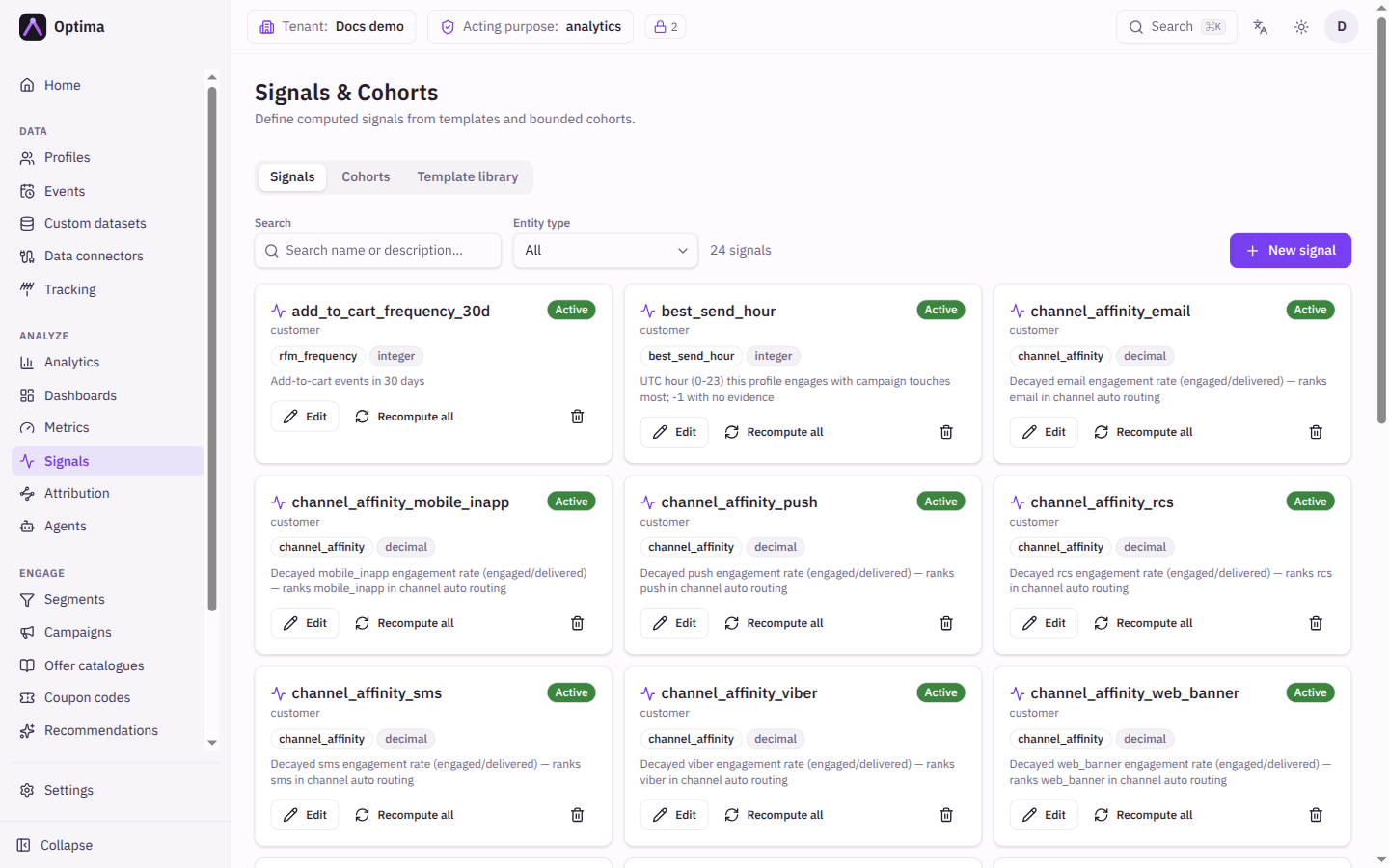
The screen has three tabs: Signals, Cohorts and Template library.
Fields
Signals tab
The grid shows each signal with its status (Active or Inactive), template or External badge, output type and description. Search by name or description and filter by entity type. New signal opens the editor.
| Field | Meaning | Valid values | Default |
|---|---|---|---|
| Name | The signal's name. Together with the entity type it identifies the signal. Fixed once saved. | Text, required | Empty |
| Entity type | Which kind of profile the signal is computed for. Fixed once saved. | Any entity type | None |
| Kind | Where values come from. Fixed once the signal exists. | Template (computed by the platform) or External (scores supplied by your own model) | Template |
| Template | (Template kind) the built-in calculation. See the template library below. | Any template | None |
| Parameters | (Template kind) the template's own settings, for example the event type and window to use. Defaults are filled in when you pick a template. | Depends on the template | Template defaults |
| Recompute interval (seconds) | (Template kind) how often each profile's value is refreshed. 0 recomputes on every read. | Whole number of seconds | 86400 (one day) |
| Transform expression | (Template kind, optional) post-processes the computed value before it is stored. See below. | An expression, or empty | Empty |
| Output type | What the signal produces. For a template signal it is set by the template and cannot be edited. For an external signal you declare it, and every pushed value is checked against it. | decimal, integer, string, boolean | Template's type; decimal for external |
| When a value is stale | (External) what happens to a value past its validity. Serve it as-is suits slow-moving scores; Exclude from decisioning withholds a stale score so segments will not match it and next-best-action leaves the offer out. | Serve it as-is, Exclude from decisioning | Serve it as-is |
| Source purposes | (External) the consent purposes the model's input data was collected under. Readers whose purposes do not overlap are not served the value, and a purpose-scoped erasure of a listed purpose deletes the stored scores. Empty means unknown origin: values are readable by all, and every purpose-scoped erasure deletes them. | Any consent purposes | None |
| Model reference | (External) a free-text pointer to the model, such as databricks:churn_v3. | Text | Empty |
| Validity window (seconds) | (External) how long a pushed value stays valid when the push carries no expiry. | Whole number of seconds | 86400 |
| Description | What the signal means. | Text | Empty |
Transform expression. Use it to tidy a computed value, for example round(value * 100) / 100, min(value, 1000) or value > 0.7 ? 1 : 0. value is the template's raw result: a number for numeric signals and a label for text ones. The expression is checked when you save, so mistakes are rejected right away. The result is converted to the signal's type afterwards (an integer signal drops the decimals, so scale before you round). If the expression fails when it runs, the raw value is stored unchanged, so a broken transform looks like no transform. A change applies from each profile's next recompute and is not retroactive. The How does this work? link under the field lists the available functions and clickable examples. See expressions.
External signals get their values from your own warehouse or model, pushed through the API or a data connector. Nothing in Optima computes them. Their cards also show a excludes stale badge when stale values are withheld, and a count of values removed by privacy erasure that have not been supplied again.
Cohorts tab
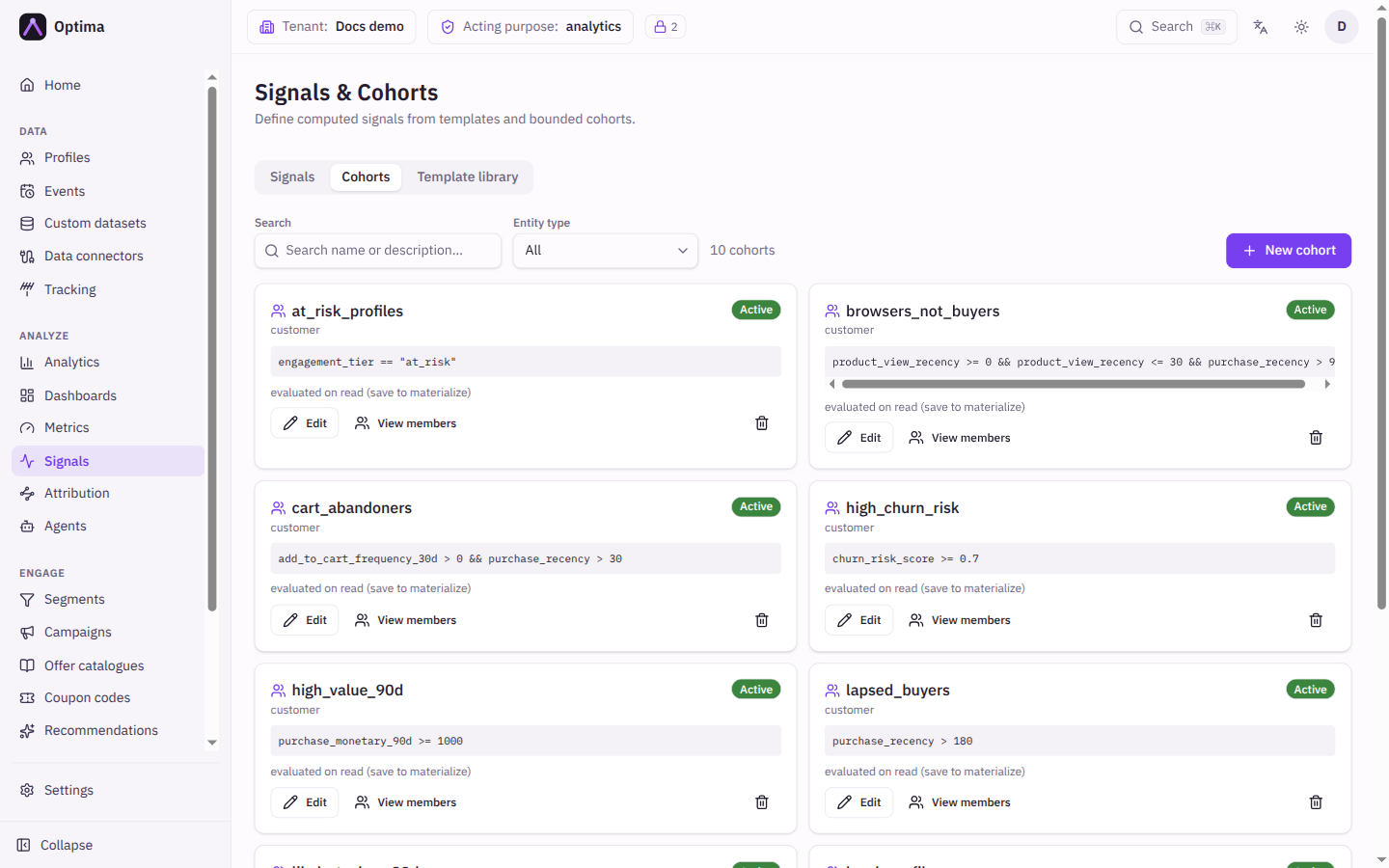
The Cohorts tab shows each cohort as a card with its status, entity type, the filter expression and a refresh line: when membership was last refreshed and how many members it has, awaiting first refresh, last refresh failed, or evaluated on read (save to materialize) for older cohorts.
| Field | Meaning | Valid values | Default |
|---|---|---|---|
| Name | The cohort's name, used when you pick it in a segment. Fixed once saved. | Text, required | Empty |
| Entity type | Which profiles the cohort covers. Fixed once saved. | Any entity type | None |
| Where / Match | The conditions. Each row is a Signal, an Operator and a Value. Match says whether all of these or any of these must hold. Add condition adds a row. | Operators is more than, is at least, is less than, is at most, is, is not | Empty |
| Filter expression | The same conditions as text, shown under Saved as. Edit as expression lets you write it directly; Back to rows returns to the row editor when the expression is simple enough. | See below | Empty |
| Description | What the group is for. | Text | Empty |
| Refresh interval (seconds) | Membership is recomputed on this schedule. | Whole number, at least 60 | 300 |
A cohort filter reads signal values of its entity only; profile attributes are not available in it. A name that is not a signal matches nobody instead of failing. Example: churn_risk_score < 0.3 && rfm_score >= 4. When a signal returns -1 for "never happened", the editor warns that the condition also matches profiles without that event and offers to add "is at least 0".
Template library tab
A read-only catalogue of the built-in calculations, each with its output type, description and parameter schema (parameters marked with an asterisk are required).
| Template | Output | What it produces |
|---|---|---|
churn_risk_score | decimal | A score from 0 to 1 that falls as the days since the profile's last event of a configured type grow. A higher value means more recent activity. |
purchase_propensity | decimal | A bounded 0 to 1 score from the frequency and recency of an event type in a window. |
rfm_recency | integer | Days since the most recent event of the configured type, or -1 if none. |
rfm_frequency | integer | Count of the configured event type within a lookback window. |
rfm_monetary | decimal | Sum of a configured numeric event attribute within a window. |
rfm_score | integer | A combined score from 1 to 5 from recency, frequency and monetary value. |
engagement_tier | string | A label: champion, loyal, at_risk or lost, from recency and frequency. |
event_streak | integer | The current run of consecutive days with an event of a configured type. |
lifetime_value_est | decimal | Estimated lifetime value: average order value times monthly frequency times projected months. |
next_event_probability | decimal | Probability of at least one event of the type within the next horizon in days. |
best_send_hour | integer | The hour (UTC, 0 to 23) with the most engagement events, or -1 when there are none. Used for send-time optimisation. |
channel_affinity | decimal | The engagement rate on one channel, used for automatic channel choice. |
item_affinity | string | The profile's top catalogue-item field value by view, cart and purchase engagement, empty when there is no data. |
The churn_risk_score template is high for recently active profiles and falls as they go quiet. A higher value means more recent activity, so "at risk" is a low value.
Actions
- New signal, Edit and the bin on a signal card. Deleting asks for confirmation.
- Recompute all (template signals only) refreshes the value for every profile in the background; a message tells you how many profiles were queued. Use it after changing parameters or a transform when you do not want to wait for each profile's next recompute.
- New cohort, Edit and the bin on a cohort row. Deleting asks for confirmation.
- View members on a cohort lists the profile IDs currently in it, 50 per page, each linking to the profile, with the member count and the refresh time of the stored membership.
- Use Previous and Next to page long lists.
Examples
Churn risk for customers. New signal, entity type your customer type, template churn_risk_score, parameters: the event type that counts as activity. Recompute interval one day.
High-value, at-risk customers. Create a cohort on the same entity type with two conditions, matching all of these: churn_risk_score is less than 0.3 and rfm_score is at least 4. Use the cohort in a segment to target a win-back campaign.
Score from your own model. New signal, kind External, output type decimal, a model reference, source purposes matching the consent the training data was collected under, When a value is stale set to Exclude from decisioning. Your warehouse pushes the scores.
Common problems
- A new cohort shows "awaiting first refresh". Membership is computed on the schedule you set; the first refresh follows shortly after saving. View members shows the stored membership once it exists.
- "Last refresh failed". Hover the message for the error. A common cause is a condition that uses a signal that no longer exists on the entity.
- The cohort expression can only be edited as text. It uses parentheses, a mix of AND and OR, or arithmetic between signals, which the row editor cannot show.
- Nobody is in my cohort. A name that is not a signal on that entity matches nobody. Check the spelling and the entity type.
- A signal shows no value for a profile. The value has not been computed yet, or it is stale. Use Recompute all, or wait for the interval.
- I cannot change the kind of a signal. It is fixed after creation. Create a new signal.
- Buttons are disabled. Signal definitions need
schema_editorand cohorts needanalytics_editor.