Deduplicate identifiers
Find identifier values shared by more than one profile and merge the younger duplicates into the oldest one.
Sometimes the same real identifier, such as one email address, ends up on more than one profile of the same entity type. This tool finds those cases and merges the younger duplicates into the oldest profile, which survives as the canonical one. You always preview first: nothing merges until you review the groups and confirm.
Who uses it
Integration specialists, usually after an import or when connecting a new source. It needs the data_editor role, the same role that can merge profiles one at a time. You reach it from the Deduplicate identifiers link at the top right of Profiles; the link is hidden if your role cannot use it.
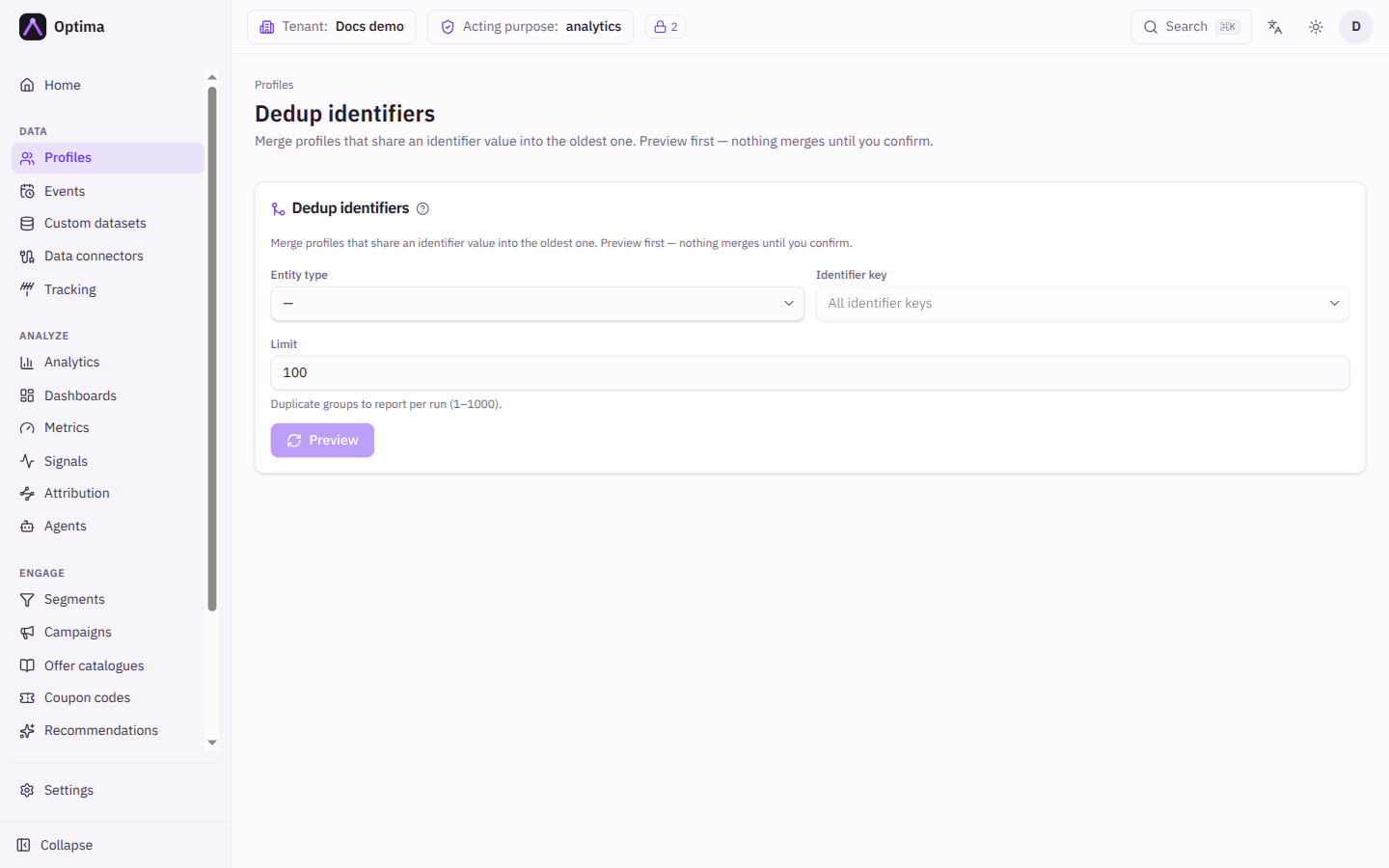
Fields
| Field | Meaning | Valid values | Default |
|---|---|---|---|
| Entity type | The entity type to scan. Required. | Any entity type in your schema | None |
| Identifier key | Check one identifier only, for example email. Lists the identifiers of the chosen entity type. | All identifier keys or one identifier | All identifier keys |
| Limit | How many duplicate groups to report per run. | 1 to 1000 | 100 |
The result table has one row per duplicate group:
| Column | Meaning |
|---|---|
| Identifier key | Which identifier is shared. |
| Value | The shared value. |
| Canonical (survives) | The oldest profile. It keeps the merged result. |
| Duplicates (merged away) | The younger profiles that would be merged into it. |
Each profile ID links to its profile page.
Actions
- Preview: scans and lists the duplicate groups without changing anything. The heading shows how many groups were found. If there are more than your Limit, a note says "Showing N of M": narrow the entity type or key, or run again after merging.
- Merge N profiles: appears after a preview that found groups. A confirmation explains the effect and asks you to type the number of profiles to merge. Each merged profile's history is kept under its canonical profile, but the merge cannot be undone. Merges are processed in the background: re-run Preview after a moment to see the result. If some merges fail to submit, a message says how many.
Changing the entity type, key or limit clears the preview, so you never confirm a merge you did not review.
Examples
Clean up after an import. Choose Entity type customer, leave Identifier key on All identifier keys, select Preview, read the groups, and then select Merge 12 profiles and type 12.
Check one identifier. Set Identifier key to email and Limit to 1000 to see more duplicate groups in one pass.
Common problems
- "No duplicate identifiers found for this entity type." Nothing to merge. Try another key or entity type.
- The preview shows fewer groups than exist. Raise Limit (up to 1000), or merge what you have and run again.
- After merging, groups still show. Merges apply in the background. Preview again after a short wait.
- Wrong profile survived. The oldest profile always survives. Use Merge on a profile page when you need a different target.
- The link is not visible. Your role cannot use the tool.