Message templates
Browse, search, create and delete the reusable per-channel messages that campaigns and journeys send.
A message template is the message itself: one template holds the copy for each channel (email, SMS, push and the others), with personalization in it. You create it once and refer to it by name from campaigns and journey send steps. The Message templates screen lists every template and is the way into the editor.
Who uses it
Campaign creators. Reading needs content_viewer; creating, changing and deleting needs content_editor. Or another role your administrator has given access to this area — see Licences and roles. Templates belong to the Campaign package; without it the screen is not in the navigation. It is the first tab of Templates & content. If the account's licence does not include templates, the page shows a licence notice naming the feature and package instead of the list.
Fields
| Field | Meaning | Valid values | Default |
|---|---|---|---|
| Search | Finds templates by name. | Any text | Empty |
| Entity type | Shows only templates for one kind of profile. | All or an entity type from your schema | All |
| Active only | Hides inactive templates. | On or off | Off |
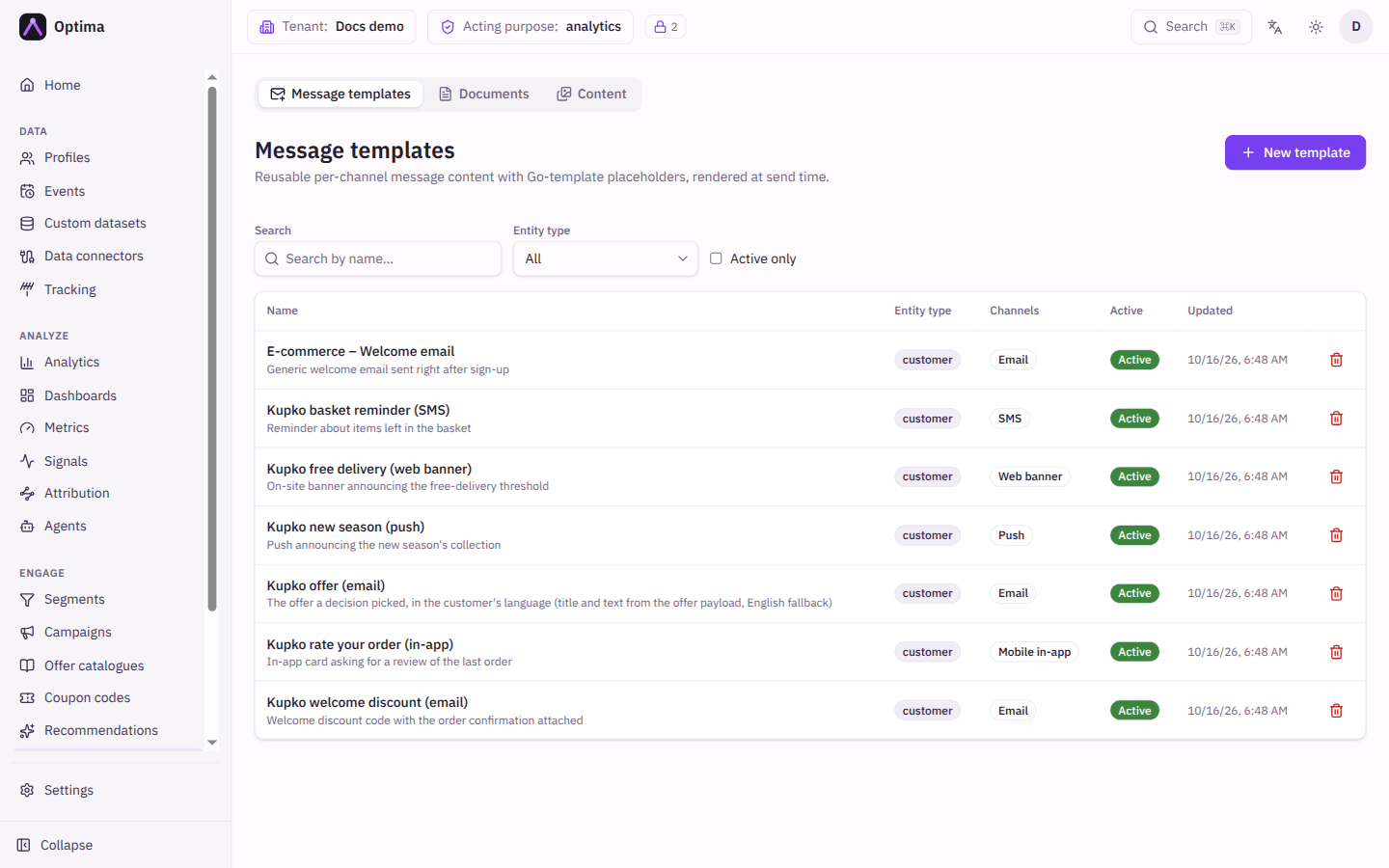
The table shows Name (select it to open the template; the description appears beneath), Entity type, Channels (a badge for every channel that has content), Active and Updated. The list is paged, 25 to a page.
Actions
- New template opens an empty editor.
- Select a name to edit that template.
- The trash can deletes a template after you confirm. A template used by a draft, active or paused campaign cannot be deleted: the message lists those campaigns, so remove the template from them first. Finished campaigns do not block the delete.
Examples
Finding the email for a campaign. Type part of the name in Search, tick Active only, and look for the Email badge in the Channels column.
Common problems
- No templates match the current filters. Clear the search, set Entity type back to All, or untick Active only.
- The template will not delete. A draft, active or paused campaign still uses it. Open the campaigns named in the message and switch them to another template first.
- The template will not rename. A live campaign, or an offer payload, still uses its current name (the screen answers 409). Switch them to another template first.
- A finished campaign fails after a delete. It still names the deleted template. Create a template with the same name before reopening it.
- New template is missing. Your role can read templates but not change them.