Response policies
Stop offering anything to customers who have already answered enough offers, whatever the offer.
A response policy stops all offers to a customer who has answered enough offers overall. When a policy matches, the decision returns nothing at all, not just one offer fewer. It is the customer-level counterpart of an offer's own response rules: an offer's rules ask "has this customer answered this offer enough?", while a policy asks "has this customer answered enough, full stop?". For example: stop offering to anyone who has rejected five offers in the last 30 days.
Answers are counted per person: profiles linked as the same person share their answers. Only answers to active offers count, so answers to an offer you have switched off stop counting.
A policy is enforced when an offer is decided. Every candidate offer is excluded and the caller gets an empty decision that names the policy. It is not enforced at send time, so a message already queued from an earlier decision still goes out.
Who uses it
Campaign managers who own contact governance. Reading policies needs campaign_viewer or campaign_editor; creating, changing and deleting them needs contact_policy_editor. campaign_admin can do both. You can also use another role your administrator has given access to this area — see Licences and roles. Response policies are part of the Campaign package and are a separate licence feature, so they can be missing from the navigation even when Fatigue policies are there. Responses only exist where offers are decided, so they matter most with the Decision package.
Fields
The policy list
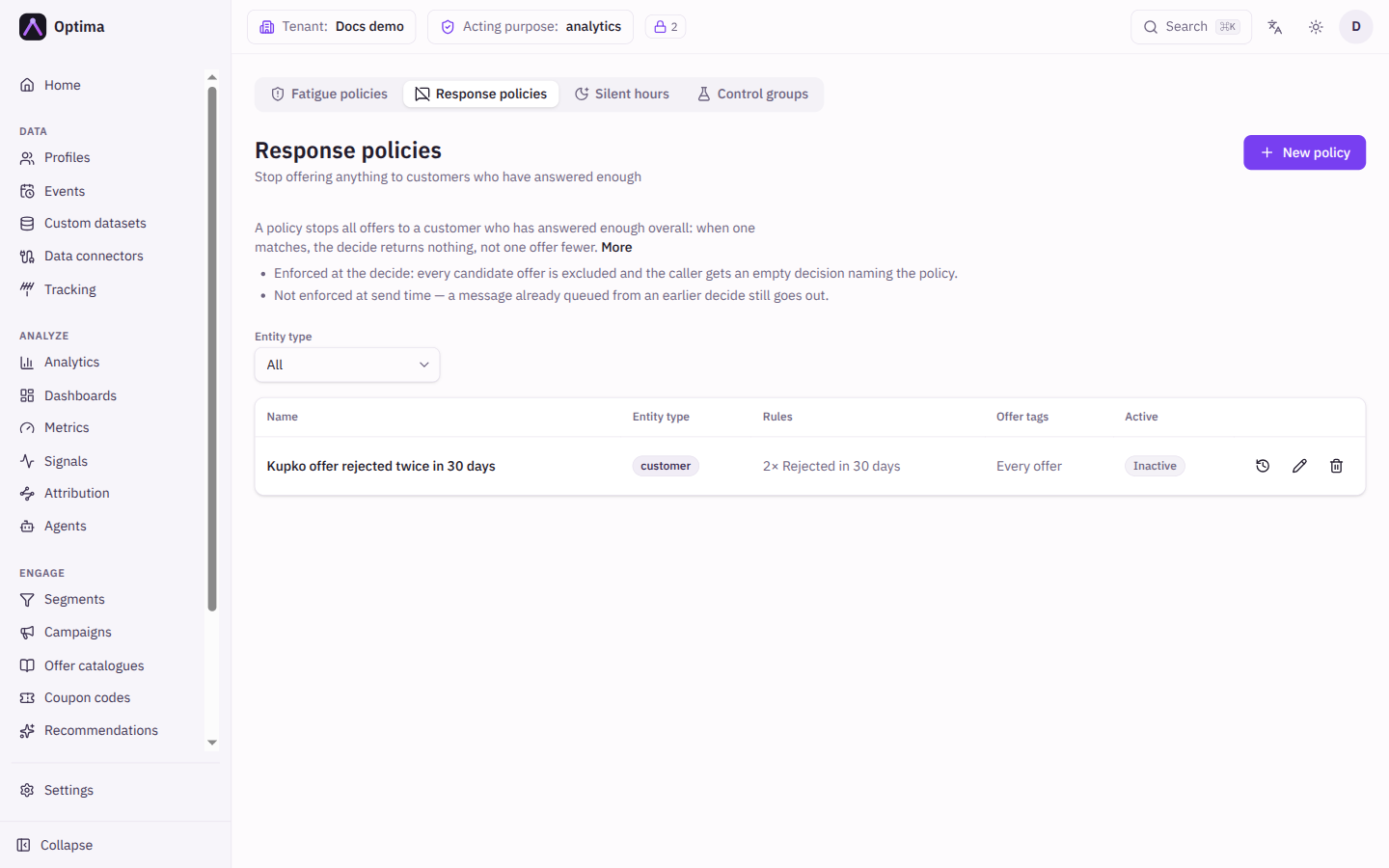
Filter by Entity type (default All). Each row shows the Name, Entity type, Rules in short form, Offer tags (or Every offer) and whether it is Active.
New policy and Edit policy
| Field | Meaning | Valid values | Default |
|---|---|---|---|
| Name | What you call the policy. | Text | None (required) |
| Entity type | The policy governs decisions for this kind of profile. | An entity type from your schema | None (required) |
| Rules | When any rule is met, the policy matches. Each rule reads like a sentence: a Response, At least a number of times, Counted over either A rolling window of Days or All time. | Response: Presented, Accepted, Postponed, Rejected, Realized. Count: whole number, 1 or more. Days: whole number, 1 or more. | One empty rule on a new policy. A policy needs at least one rule. |
| Offer tags | Count only responses to offers that carry all of these tags. Leave empty to count every offer. Tags are read when the policy runs, so answers to an offer that has since been deleted or re-tagged stop counting. | Tags | Empty (Every offer) |
| Active | Whether the policy is enforced. | On or off | On |
Add rule adds a rule and Remove rule takes one away.
Actions
- New policy opens the dialog.
- Edit changes a policy. Changes apply to the next decision.
- The history icon opens the policy's change history.
- Delete asks for confirmation. Decisions the policy was blocking resume immediately.
Examples
Back off after repeated rejections. Entity type customer, one rule: Rejected, At least 5, Counted over A rolling window, 30 Days. A customer who has rejected five offers in 30 days gets no offers until older rejections fall out of the window.
Only count discounts. Add the offer tag discount. Rejections of non-discount offers no longer count toward the limit.
Common problems
- A policy needs at least one rule. Each rule needs a response, a count of at least 1 and, for a rolling window, at least 1 day.
- The policy does not stop a message that was already queued. Policies work at decision time only.
- Offers are blocked but I cannot see why. The decision names the policy. In Test decide on an offer catalogue the exclusion reason reads Enough offers answered.
- Answers do not count. Responses are reported by your site, app or systems. See the offer's Offer responses block to check they arrive.