Control groups
Set aside a share of each kind of profile that campaigns deliberately do not contact, so you can measure what a campaign actually caused.
A control group is a slice of your audience that is deliberately not contacted. Comparing what happens to the people who received a campaign with the people who did not shows what the campaign caused, rather than what those customers would have done anyway. Without a control group, a campaign can only report that the customers who got it behaved in a certain way.
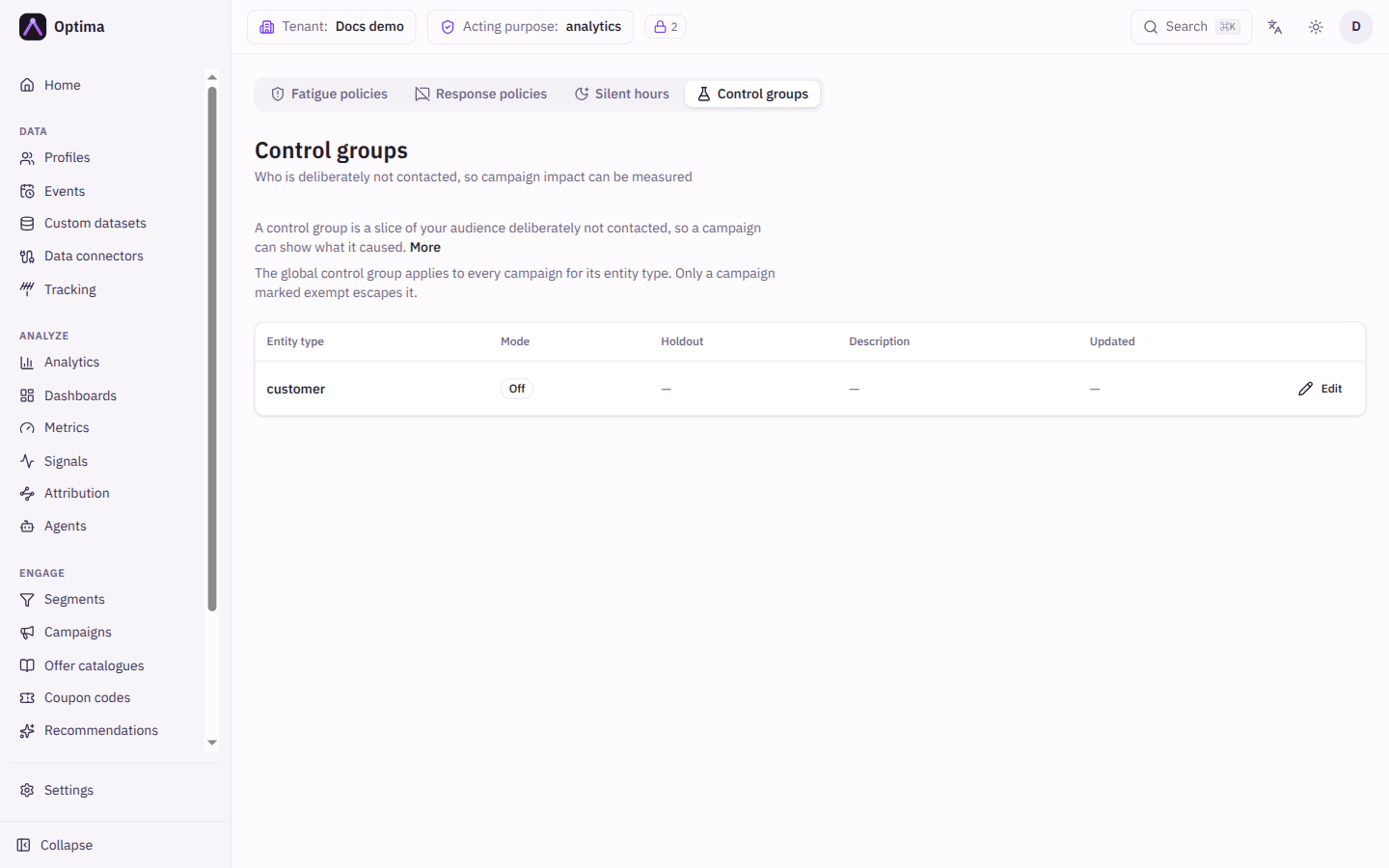
This screen sets the global control group, one per kind of profile. It applies to every campaign for that entity type; only a campaign marked as one that must reach everyone escapes it. A campaign can also have its own holdout on top; that is set on the campaign page.
The global control group also applies to audience syncs: customers in it are left out of the audiences sent to advertising platforms.
Membership is stable: the same profile always lands in the same group, and raising the percentage only adds people rather than reshuffling everyone. The holdout is applied at the last moment before sending, after the consent check, so the control group is exactly the people who would otherwise have been contacted.
Who uses it
Campaign managers, who set the holdout, and business owners, who rely on the lift numbers it makes possible. Reading needs campaign_viewer or campaign_editor; changing a control group needs contact_policy_editor. campaign_admin can do both. You can also use another role your administrator has given access to this area — see Licences and roles. Control groups need the Campaign package and the control groups feature.
Fields
The list
Every entity type in your schema has a row, configured or not. Off is a real setting, not a missing one.
| Column | Meaning |
|---|---|
| Entity type | The kind of profile. Select it to edit. |
| Mode | Off, Rule-based or Automatic. |
| Holdout | N% of profiles for Automatic, Rule-based for a rule, otherwise a dash. |
| Description | Why the holdout exists. |
| Updated | When it was last changed. |
Edit: Global control group
| Field | Meaning | Valid values | Default |
|---|---|---|---|
| Mode | How people are chosen for the holdout. Off: no global holdout; campaigns can still define their own. Rule-based: you decide who is held out with a filter. Automatic: Optima picks for you, consistently, so a profile never changes group on its own. | Off, Rule-based, Automatic | Off |
| Holdout size (%) | For Automatic: the share of profiles held out. Raising it later keeps everyone already held out and adds more. Lowering it releases the newest slice. | 0 to 100, two decimals allowed | 0 |
| Who is in the control group | For Rule-based: profiles matching this filter are held out. It works like a segment filter: attributes, linked profiles, datasets, cohorts and signals. | A filter (see Query filters) | Empty |
| Description | Why this holdout exists. | Text | Empty |
| How big would this be? | Estimate checks the size before you save. It shows how many profiles would be held out and how many stay targetable, with percentages. For Automatic mode the result is an expected size, not an exact count. | Button, for modes other than Off | n/a |
| Re-draw the holdout | Shown once a holdout exists. Picks an entirely new set of people. Every lift number measured against the current holdout stops being comparable. Leave it unticked to change the size without disturbing running measurements. | On or off | Off |
Actions
- Edit (or the entity type name) opens the dialog for that entity type.
- Estimate previews the holdout without saving it.
- Save applies the change to every campaign for that entity type. Where a campaign is measured against the global holdout, its comparison is made against this group.
Examples
A 5% holdout for customers. Edit customer, set Mode to Automatic and Holdout size (%) to 5. Press Estimate to see how many customers that is. Check that it is large enough to show a difference; a holdout that is too small can never reach significance.
Hold out a fixed audience. Use Rule-based with a filter such as "is a VIP customer" if the same people must never receive marketing.
Let one campaign reach everyone. Open the campaign and tick This campaign must reach everyone. It is then released from the global holdout, and nothing about it is measured.
Common problems
- Campaign results show no lift. The campaign may be set to Don't measure this campaign, or no global holdout is configured for its entity type, so nothing is being compared. Set one here, or give the campaign its own holdout.
- Customers I wanted to reach did not get a message. They are in the global holdout. A campaign set to Don't measure still keeps them held back. Use the exemption on the campaign to reach everyone.
- Lift numbers changed after an edit. You ticked Re-draw the holdout. Earlier comparisons no longer match the new group.
- The estimate is approximate. Automatic mode is an expected size.
- Save says the entity type is not a known entity type. The entity type must exist in your schema. Create it under Settings → Workspace → Schema first. Turning an existing holdout off always works, even after its entity type was removed.
- Save says the entity catalogue is unavailable. Optima could not check the entity type just then. Try again in a moment.