My account
Edit your own name, organization details and time zone.
My account holds the details about you that other people and the console itself use: how your name appears, where you work, and the time zone the console uses for every date and time it shows you. Open it under Settings → Account → My account.
Who uses it
Every signed-in person. No special role is needed, and you can only edit your own details. Roles, status and clearance are managed by an administrator on the Team screen, not here.
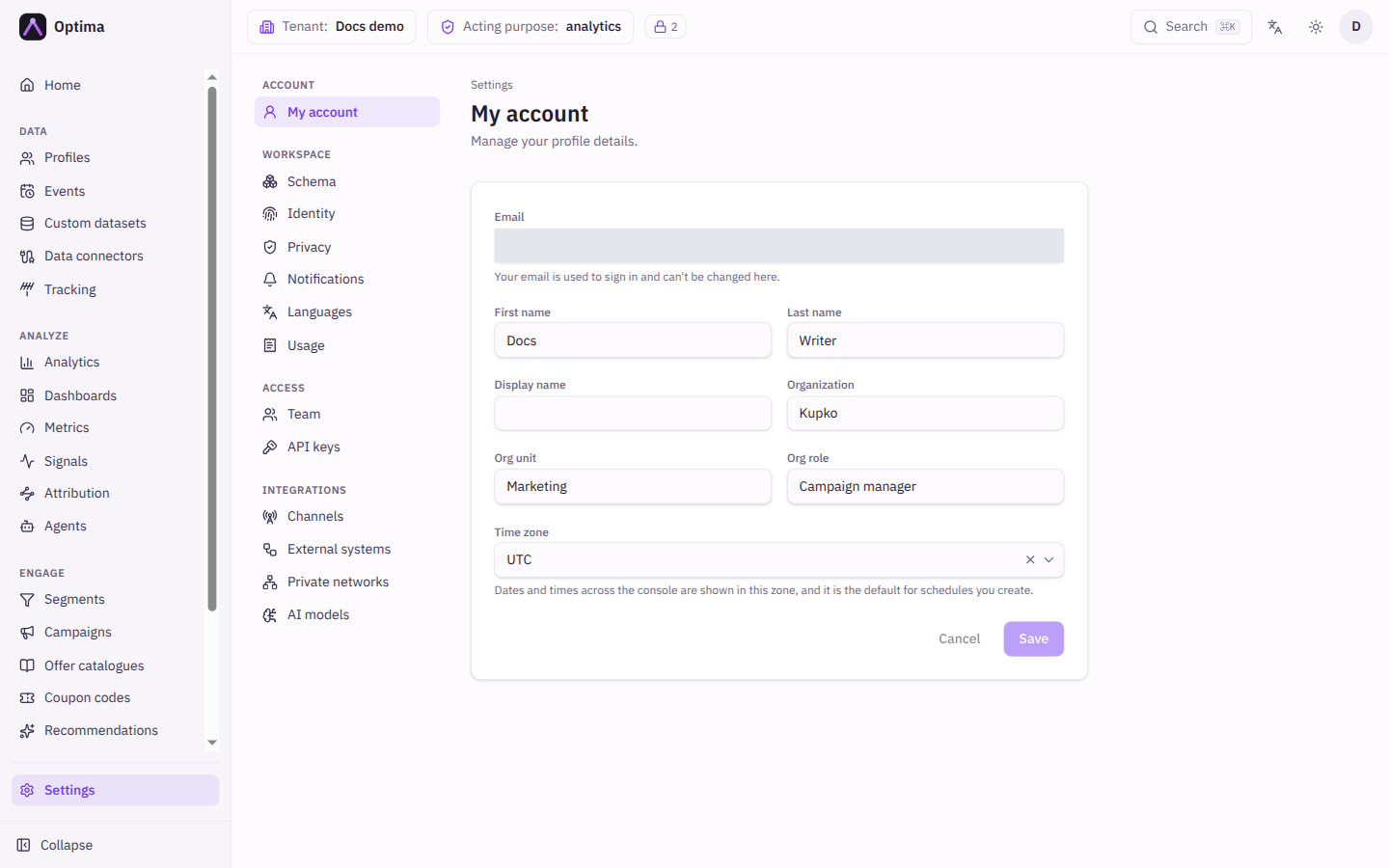
Fields
| Field | Meaning | Valid values | Default |
|---|---|---|---|
| The address you sign in with. Read-only. | Not editable here | Your address | |
| First name | Your given name. | Text | As registered |
| Last name | Your family name. | Text | As registered |
| Display name | How you appear to colleagues, for example as the author of a change. | Text | Empty |
| Organization | Your company. | Text | Empty |
| Org unit | Your department or team. | Text | Empty |
| Org role | Your job title. | Text | Empty |
| Time zone | Dates and times across the console are shown in this zone, and it is the default for schedules you create. | A time zone name such as Europe/Bratislava | Not set, which shows UTC |
When your device is in a different zone from the one stored, a link offers Use this device's time zone with the zone and its offset; selecting it fills the field.
Actions
- Save stores the changed fields. It is enabled only when something changed. The time zone applies across the console as soon as the page refreshes.
- Cancel puts every field back to its stored value.
A text field cannot be cleared by saving it empty. Replace the value with a new one instead.
Examples
Set Time zone to your local zone before you schedule a campaign or a metric, so the times you enter mean what you expect.
Common problems
- Times look wrong by hours. The time zone is not set, so the console shows UTC. Set it here.
- Cannot change my email or roles. Neither is editable on this screen. Ask a team administrator.
- "Your account details couldn't be loaded." Reload the page; if it persists, sign out and in again.