Settings
The Settings hub, where you configure the workspace, who can reach it and what it is connected to.
Settings is the one entry at the bottom of the navigation rail for everything you set up once and revisit now and then: your data model, identity rules, consent and retention, who can sign in, and the services your workspace talks to. The hub page shows the screens as cards, grouped into sections, and a column beside every settings screen lets you jump between them.
Who uses it
Tenant administrators and the specialists they delegate to. Which cards you see depends on your licence and your roles, so two people in the same workspace can see different hubs. A card that is missing usually means the feature is not in your licence, or none of your roles reaches that screen; see Licences and roles.
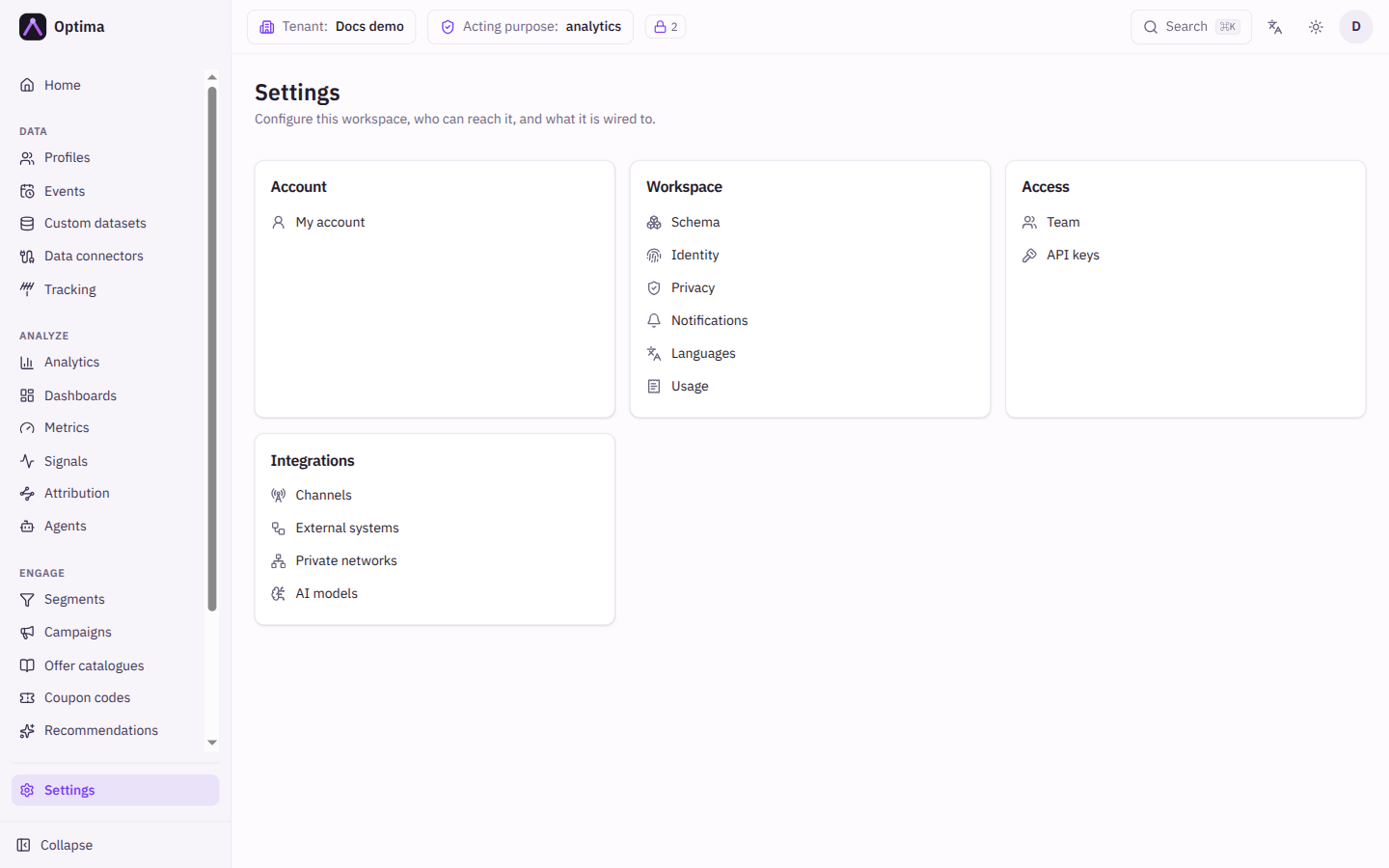
Sections
| Section | Screen | What it is for |
|---|---|---|
| Account | My account | Your own name, organization and time zone |
| Workspace | Schema | Entities, event types, computed attributes, data contracts and custom datasets |
| Identity | Rulesets that recognise several profiles as one person | |
| Privacy | Consent purposes and policies, retention, erasure, the audit log | |
| Notifications | Who is told about what, and how those messages read | |
| Languages | The languages your messages speak | |
| Usage | What your account is metered at | |
| Access | Team | People who can sign in to this environment |
| API keys | Service credentials, and the AI apps connected with them | |
| Roles | Custom roles (account administrators) | |
| Integrations | Delivery channels | The providers that send your messages |
| External systems | HTTP services your journeys call | |
| Private networks | Tunnels into your own network | |
| AI models | Your own text and image model providers | |
| Instance | Instance settings | Instance-wide behaviour, for instance administrators only |
Actions
Select a card entry to open the screen. There is nothing to save on the hub itself.
Common problems
- A screen is missing from the hub. Its licence feature is not part of your account, or your roles do not reach it. Ask your administrator.
- A screen is switched off for the whole workspace. An instance administrator can switch off feature areas for a workspace. The administration areas tenants, applications, users, roles and health can never be switched off.
- A screen opens as View only. Your role can read the area but not change it.