Languages
Define which languages your messages speak and which profile attribute says who prefers which.
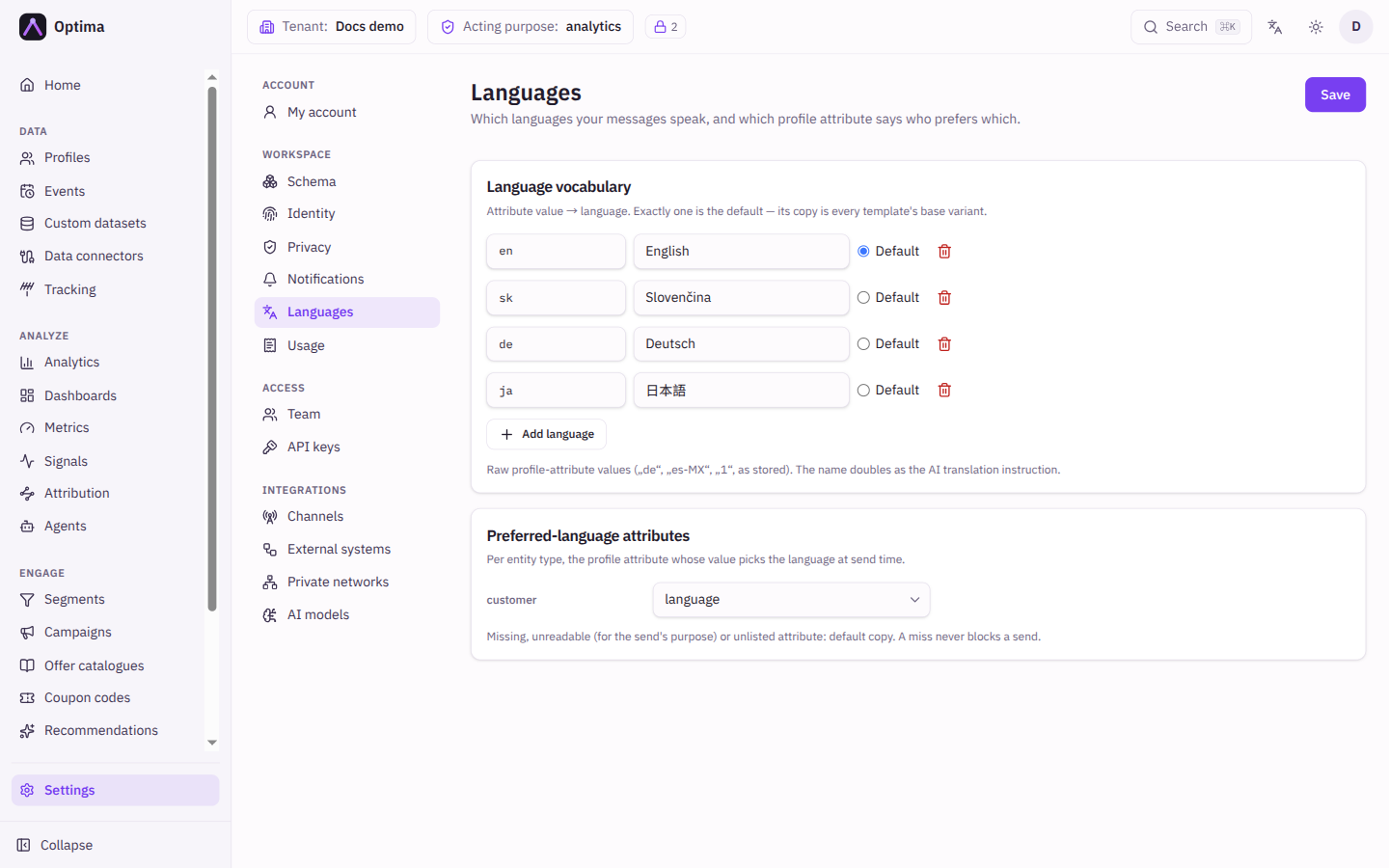
The Languages screen is the vocabulary behind multilingual messages. It says which values of a profile attribute mean which language, which language is the default, and, for each kind of profile, which attribute holds the preference. Message templates can then carry a version per language and Optima picks the right one for each person at send time. Open it under Settings → Workspace → Languages.
Who uses it
Campaign creators and tenant administrators. Reading needs a campaign or content role such as campaign_viewer or content_viewer; changing needs campaign_editor or content_editor, or another role your administrator has given access to this area — see Licences and roles. The screen is part of the Languages licence feature (Campaign package).
Fields
Language vocabulary
"Attribute value → language. Exactly one is the default — its copy is every template's base variant." Each row has three controls, and Add language adds another.
| Field | Meaning | Valid values | Default |
|---|---|---|---|
| Attribute value | The raw value your profiles hold, for example de, es-MX or 1. | Text, unique | Empty |
| Language name | The language's name, for example German. It doubles as the instruction when a message is translated with AI. | Text | Empty |
| Default | The language used when nothing else applies. Exactly one row. | One row selected | The first row you add |
The bin removes a row.
Preferred-language attributes
One selector per entity type: the profile attribute whose value picks the language at send time. Not configured — always the default means every profile of that type gets the default copy.
Actions
- Save stores the whole vocabulary and all selectors at once. The save is refused if there is no default, a value is repeated, or a selector names an attribute that its entity type does not declare; the message says which. If the entity list cannot be read at that moment, the save is refused with nothing stored: try again.
- Removing a language that is already saved is gentle. Template versions and campaign choices that reference it keep existing but "fall back to the default copy at send time". The screen warns before you save.
Examples
Your profiles keep preferred_language as sk, cs or en. Add three rows (sk Slovak, cs Czech, en English) and mark en as Default. Under Preferred-language attributes choose preferred_language for customer. A template with a Slovak version is now sent in Slovak to customers whose value is sk, and in English to everyone else.
Common problems
- "Mark exactly one language as the default." Select Default on one row.
- A customer gets the default language. Their attribute is missing, they are not allowed to have it read for this send, or the value is not in your vocabulary. A language miss never blocks a send.
- The screen is missing. The Campaign package is not in your licence.