Schema
Define your entities, event types, computed attributes, data contracts and custom datasets.
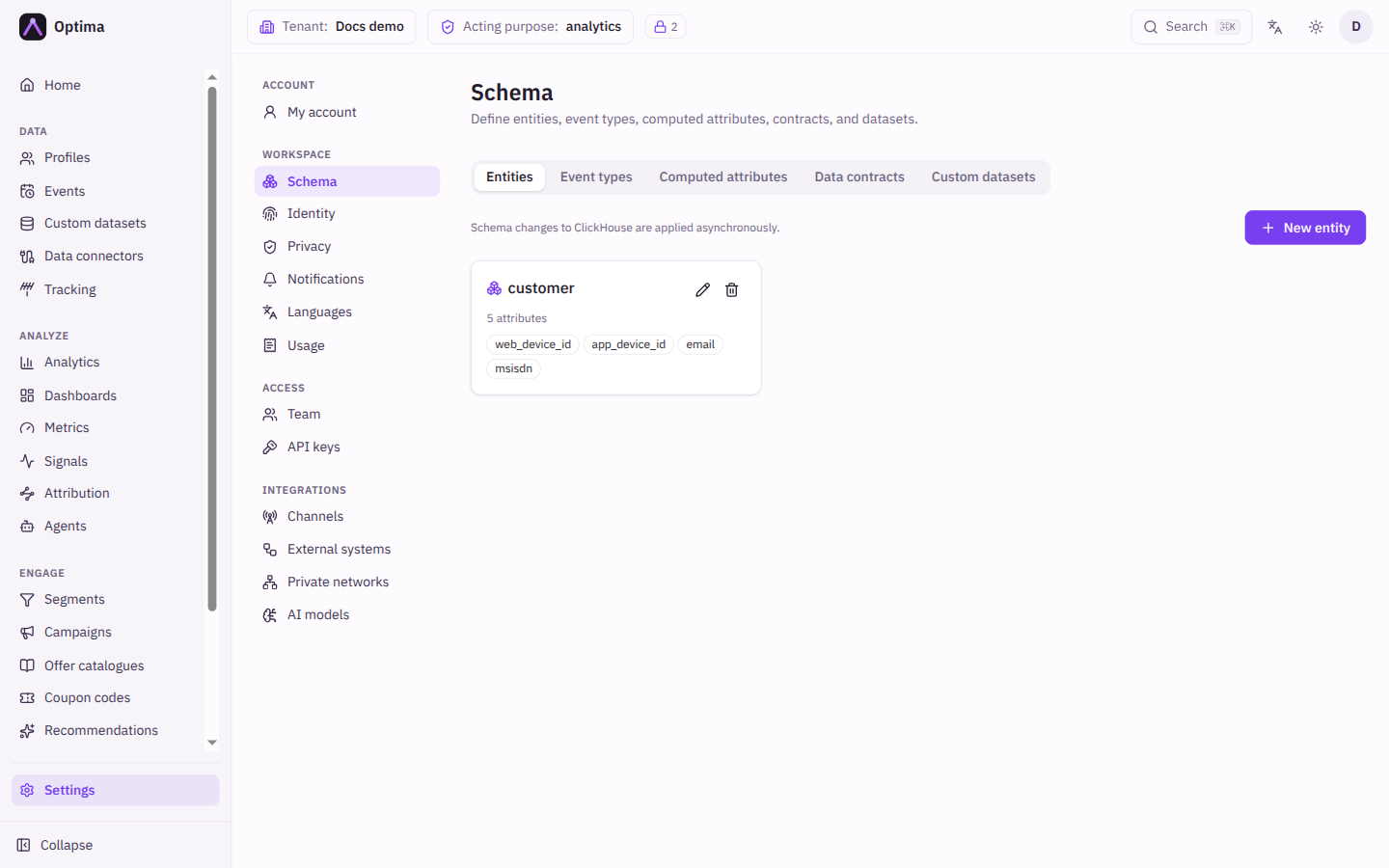
The Schema screen is where you describe your data. It declares which kinds of customer record exist (entities), what each attribute holds, which events you collect, which values are derived for you (computed attributes), which rules incoming data must pass (data contracts), and which extra reference tables you keep (custom datasets). Open it under Settings → Workspace → Schema. The screen has five tabs: Entities, Event types, Computed attributes, Data contracts and Custom datasets.
Who uses it
Integration specialists and IT architects. Changing the schema needs the schema_editor role, or another role your administrator has given access to this area — see Licences and roles. A role that can read the data model but not change it sees the screen as View only. Computed attributes are part of the core licence.
Fields
Entities
An entity is a kind of record you keep profiles for, such as customer. New entity opens the dialog.
| Field | Meaning | Valid values | Default |
|---|---|---|---|
| Entity type | The name of the kind of record. Fixed once created. | Text | Empty |
| Parent entity (optional) | Another entity this one belongs to, for example a household above its customers. | An existing entity, or None | None |
| Description | A note for colleagues. | Text | Empty |
| Attributes | One row per attribute: Attribute (name), Type, PII (sensitivity level, 0 means no sensitivity level is recorded) and Purposes (consent purpose tags that govern who may read the value). Use Add attribute for another row. | Types as in Attribute types | None |
| Identifiers | The keys that identify a profile, such as email or phone. Press Enter or comma to add one. | Names | None |
| Identifier PII levels | Shown once an identifier exists: the sensitivity of each identifier's value. Callers below that level see it redacted. | A whole number, 0 or more | 0 |
| Strict (reject unknown attributes) | Refuse profiles that carry an attribute not declared here. | On or off | Off |
Through the API, an entity update changes only the fields it sends. Fields left out keep their stored value, and an explicit empty value ({}, [], "", false) clears one. Sending attribute_purposes as {} removes every purpose tag; leaving it out keeps them.
Event types
An event type describes one kind of thing that happens, such as purchase. The dialog has Event type, Description, the same Attributes table and Strict (reject unknown attributes) as entities, and one more setting.
| Field | Meaning | Valid values | Default |
|---|---|---|---|
| Required consent purposes (collection gate) | Events of this type are stored only when the profile has granted every consent-basis purpose you tick (purposes on another lawful basis are not checked). Unknown consent holds the event back; a withdrawal drops it, and the drop is audited. This takes effect only when consent-gated collection is switched on for your workspace. | Purposes from your consent purposes | None |
A type with required purposes shows a consent-gated badge in the list, and a strict one shows strict.
Computed attributes
A computed attribute is a value Optima works out for you from other data. New computed attribute opens the dialog.
| Field | Meaning | Valid values | Default |
|---|---|---|---|
| Entity type | The entity the value is computed for. | An existing entity | None |
| Name | The attribute's name, used in filters and personalization. | Text | Empty |
| Kind | Segmentation picks a value by checking segments in order; Function calculates a value from an expression. | Segmentation, Function | Segmentation |
| Value type | The type of the result. | An attribute type | Text for segmentation, decimal number for function |
| Description | A note for colleagues. | Text | Empty |
| Definition | What is computed. Edit it in the Builder or as JSON (advanced). | See below | Empty |
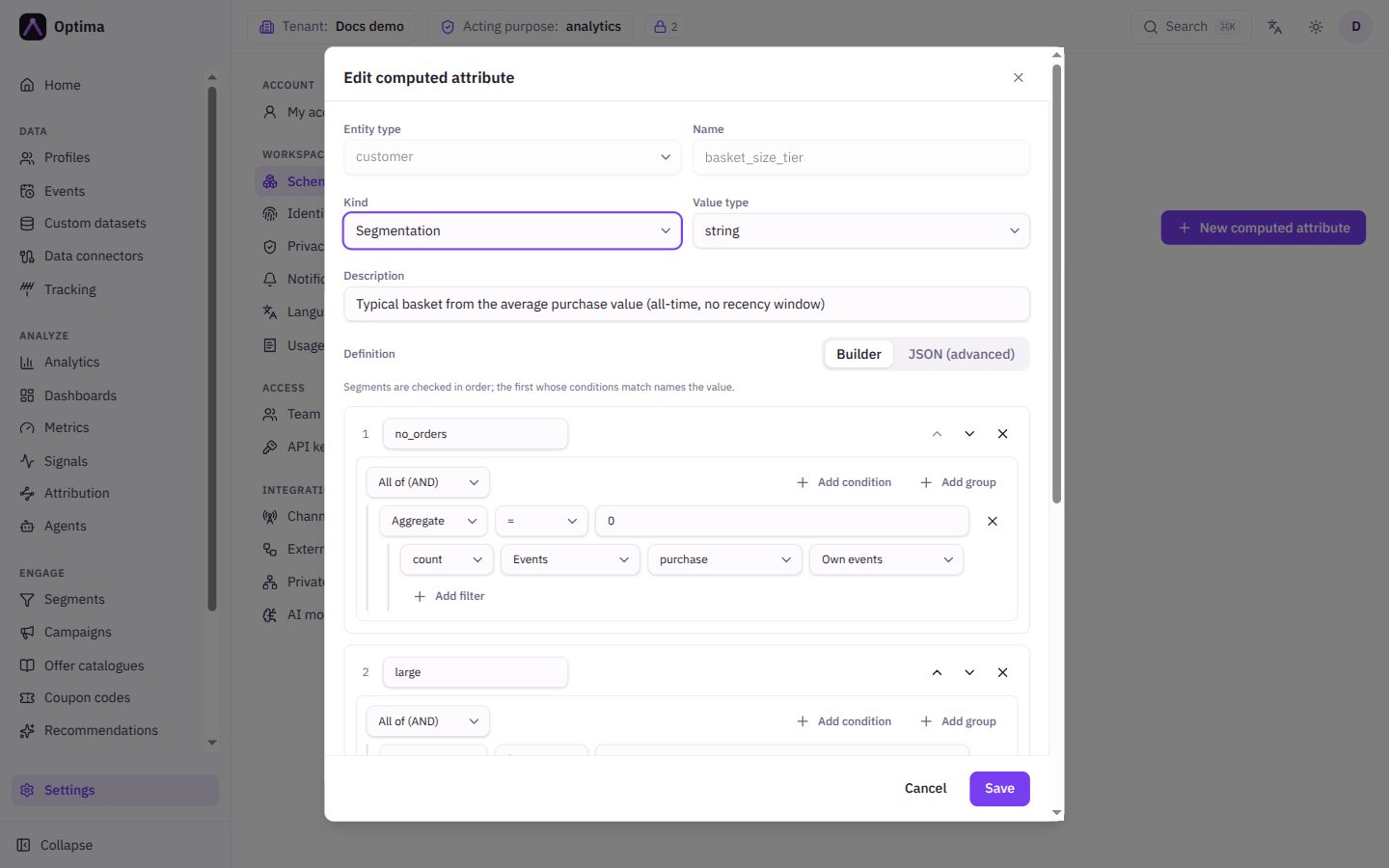
For a Segmentation definition the builder lists segments in order: each has a Segment name, the conditions that put a profile in it, and the value it gives. "Segments are checked in order; the first whose conditions match names the value." Otherwise sets the Default value when none match. Conditions compare an Attribute, an Aggregate (a function over events or related profiles, with an optional Where filter) or a Signal, with an Operator and a Value; groups match All of (AND) or Any of (OR).
For a Function definition you build a term from Number, Attribute, Signal, Aggregate, Arithmetic and Function pieces. See Expressions.
Data contracts
A contract validates and cleans data as it arrives. New contract opens the dialog.
| Field | Meaning | Valid values | Default |
|---|---|---|---|
| Scope | Whether the contract guards an entity or an event type. Fixed once created. | entity, event type | entity |
| Scope name | Which entity or event type. Fixed once created. | An existing one | None |
| On unknown attribute | What happens to an attribute not declared in the schema. An entity or event type with no declared attributes is free form: unknown-attribute and type-mismatch checks apply only once at least one attribute is declared. | allow, warn, reject | allow |
| On type mismatch | What happens when a value has the wrong type. coerce converts the value to the declared type (numeric string → number, integral only for integer; number/bool → string; true/false/1/0 → boolean; JSON-object string → json; scalar → one-element array_string) and stores it, still returning a {rule: type_mismatch, level: coerce} warning. A value that cannot be converted is dropped and reported with level: warn. warn always drops. | coerce, warn, reject | coerce |
| On missing required | What happens when a required attribute is absent. | warn, reject | warn |
| Rules | Per-attribute checks, built in Builder or JSON (advanced). | See below | None |
A rule picks an Attribute and can set Required, Min and Max (a number bound, or a length for text), Format (regex), Allowed values, Also accept as (incoming names that are renamed to this attribute before validation), a Validation expression that must return true, and a Transform expression whose result replaces the stored value. An Expression reference panel in the dialog lists the variables value and attrs, the operators and the built-in helpers. With no rules, "every attribute passes as-is".
Custom datasets
A custom dataset is a reference table that is not a customer, such as a product list. The dialog has Dataset name (fixed once created), Description, an Attribute types table (name, type and PII level, with no purposes column) and Strict (reject unknown attributes). See Custom datasets for working with the records.
Actions
- New entity, New event type, New computed attribute, New contract, New dataset open the dialogs above.
- The pencil on a row opens it for editing; fields marked fixed above stay locked.
- The bin deletes after confirmation. Deleting a custom dataset offers Delete records too (cascade).
- Saving shows any warnings the server returns.
Schema changes to the event store are applied in the background, so a new attribute can take a moment to appear in queries.
Examples
Keep emails clean. Add a data contract on the entity customer. Add a rule for email with Required on, and a Transform expression of trim_lower(value). Incoming addresses are trimmed and lowercased before they are stored.
Customer value tier. Add a computed attribute value_tier on customer, kind Segmentation, with segments High (value gold) and Medium (value silver) and an Otherwise value of bronze. The attribute is then usable in filters and personalization like any other.
Consent-gated events. On the event type page_view, tick the analytics purpose under Required consent purposes. Page views are then stored only for profiles that granted it.
Common problems
- Strict mode rejects incoming data. An integration sends an attribute you did not declare. Declare it, or turn Strict off.
- A contract rejects values you expected to pass. Check On type mismatch and the rule's Format (regex) and Allowed values; choose warn while you tune a rule, then reject.
- A computed attribute is empty. The profile matches no segment and the definition has no Otherwise value, or a function refers to data the profile lacks.
- "Definition must be valid JSON." You edited in JSON (advanced) and the text does not parse; switch back to Builder or fix the syntax.