Roles
Browse the built-in roles and define custom roles made of the API permissions you choose.
A role is a named bundle of permissions. Optima ships built-in roles for the usual jobs, such as campaign_editor or privacy_officer; this screen lets an account administrator inspect those and define custom roles when no built-in role fits. Open it under Settings → Access → Roles. See Licences and roles for the built-in catalogue.
Who uses it
Account administrators (the account_admin role) and instance administrators. The screen does not appear for anyone else, because defining roles is an account-level right: an environment's admin manages membership on the Team screen but not the role catalogue. Roles are part of the core licence.
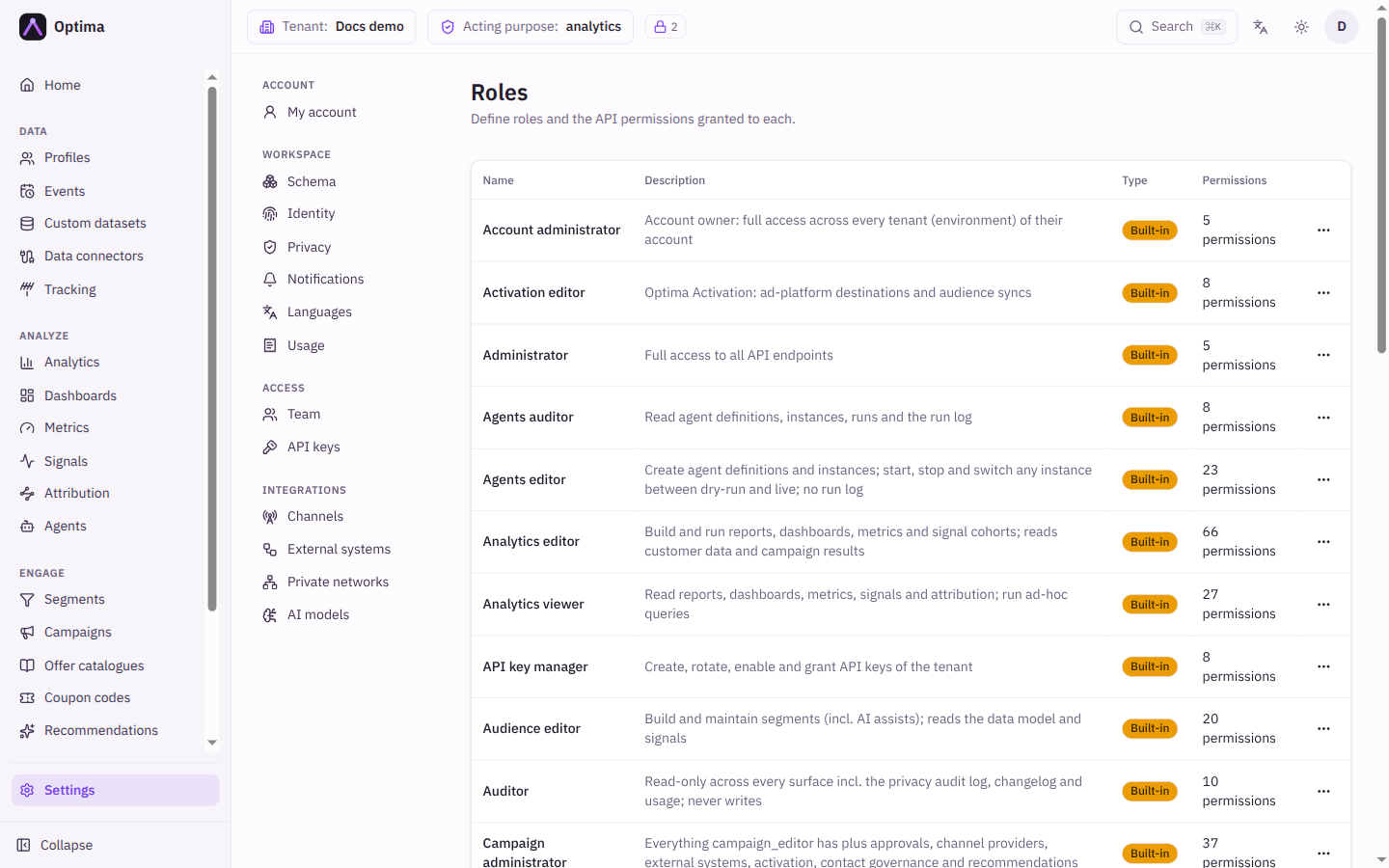
Fields
The list shows each role's Name, Description, Type (Built-in or Custom) and Permissions (a count such as "12 permissions"). New role opens the dialog.
| Field | Meaning | Valid values | Default |
|---|---|---|---|
| Name | A lowercase identifier, unique. It cannot be changed later. | Lowercase letters, numbers, _ and -, starting with a letter or number, up to 64 characters | Empty |
| Description | What the role is for. | Text | Empty |
| Permissions | Which API routes and methods the role may call. Search with Search routes…, then tick the methods per route, or Any for all methods. | Routes and methods | None |
Grants that do not match a known route show under Other grants, "preserved as-is".
Actions
- New role creates a custom role owned by your account.
- Edit role (row menu) changes a custom role's description and permissions. Built-in roles open as View role, read-only, for an account administrator as well as an instance administrator: "Built-in roles can only be edited by an instance administrator."
- Delete removes a custom role after confirmation. A role that is still assigned to people or keys cannot be deleted; reassign them first.
After you create a role it appears in the role pickers on Team and API keys.
Examples
A report publisher. Create report_publisher. Search routes for analytics, tick Any for the analytics routes and GET for the data model routes, then save. Assign it to an analyst on the Team screen.
Checking what a built-in role allows. Open View role on Campaign viewer (campaign_viewer) to see its permission list before you assign it.
Common problems
- Roles is not in Settings. You hold neither
account_adminnorinstance_admin. - The name is refused. Use lowercase letters, numbers,
_and-only. - Delete is refused. The role is still assigned. Remove it from members and keys first.
- A built-in role needs a change. Create a custom role with the permissions you want instead.